Features
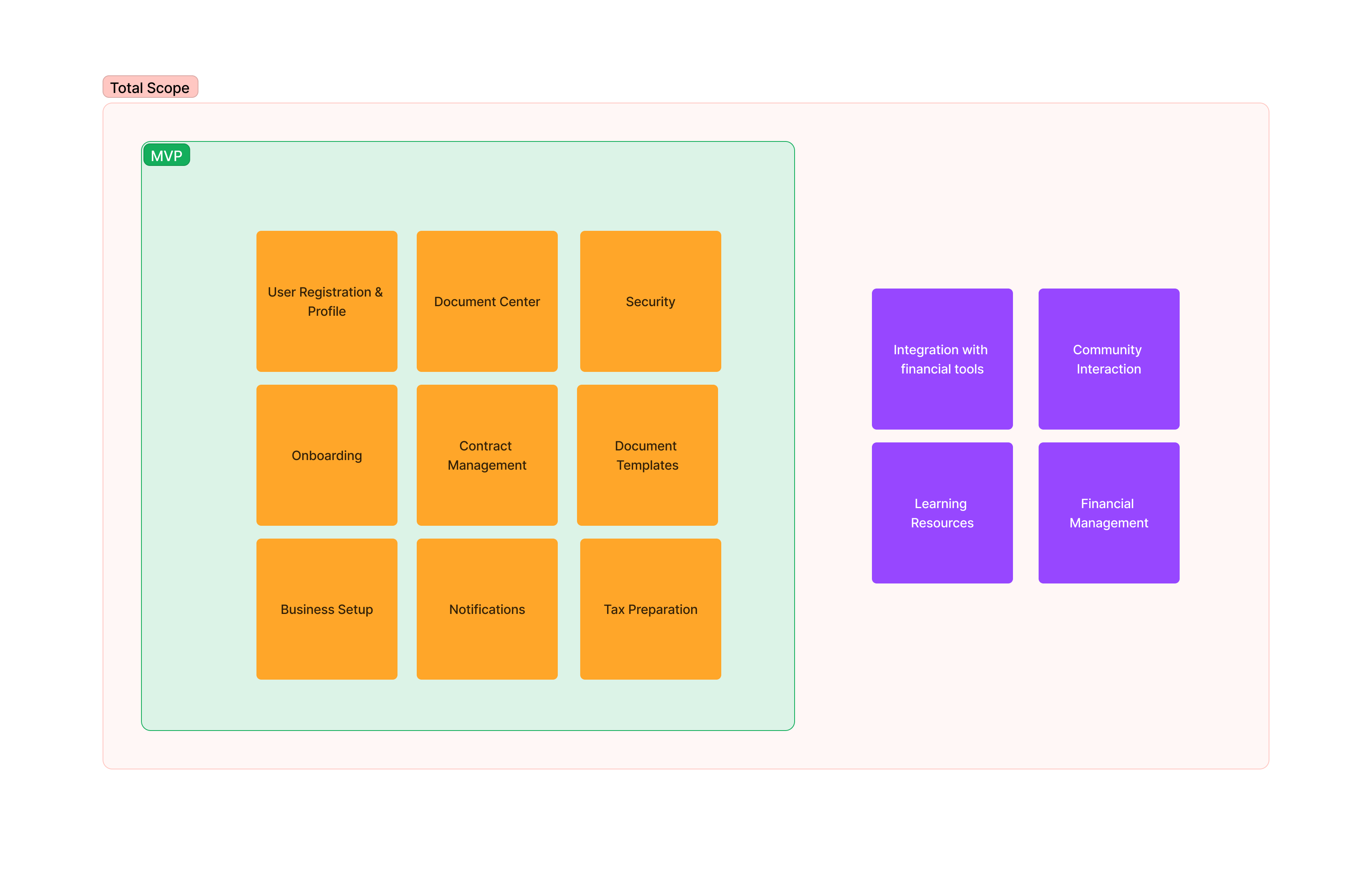
Onboarding and Profile Setup
- User Registration: This feature simplifies the registration process for content creators by making it easy to create an account and provide the necessary information. This can help to reduce the amount of time and effort required for content creators to get started with the software.
- Profile Creation: This feature helps users to create profiles with their relevant business information. This can include information such as their name, business name, address, and contact information. This information can be used by the software to generate accurate tax reports and provide personalized guidance.
- Business Setup Guidance: This feature provides guidance on selecting the right business structure and obtaining the necessary licenses and permits. This information can help content creators to avoid costly mistakes and ensure that they are in compliance with all applicable laws and regulations.
Business Setup Guidance
The Business Setup Guidance feature provides users with guidance on selecting the right business structure for their needs. This includes information on the different types of business structures, such as sole proprietorship, partnership, LLC, and corporation. The feature also provides information on the advantages and disadvantages of each business structure, as well as the steps involved in setting up each type of business.
In addition to guidance on business structure, the Business Setup Guidance feature also provides users with basic resources for licensing and permits. This includes information on the types of licenses and permits that may be required for different types of businesses, as well as links to websites where users can apply for the necessary licenses and permits.
Tax Preparation Assistance
- Income Tracking: This feature helps content creators to track their income from various sources. This can include income from platforms such as YouTube, Twitch, and Patreon, as well as income from merchandise sales and other sources. This information can be used by the software to generate accurate tax reports and identify potential tax deductions.
- Expense Tracking: This feature provides tools to log and categorize business-related expenses. This can include expenses such as equipment, software, travel, and marketing. This information can be used by the software to generate accurate tax reports and identify potential tax deductions.
- Tax Deadline Reminders: This feature helps users to stay on top of their tax deadlines by sending them reminders before important dates. This can help to avoid late filing penalties and other problems. Sure. Here is a more detailed explanation of the Business Setup Guidance, Contract Management, and Guidance and Learning Resources features of your tax SaaS software:
Contract Management
The Contract Management feature provides users with ready-to-use contract templates for collaborations. This can help users to save time and effort when drafting contracts with other businesses or individuals. The feature also provides basic contract review guidance, which can help users to understand the key terms and conditions of their contracts.
Guidance and Learning Resources
The Guidance and Learning Resources feature provides users with access to basic video tutorials and articles on business setup. This can be a valuable resource for users who are new to starting a business or who want to learn more about the different aspects of business setup. The feature also provides a platform for users to ask questions and get answers from experts. This can be a helpful resource for users who are facing challenges or who have specific questions about business setup.
Privacy and Security
The Privacy and Security feature ensures that user data is handled securely and that users have control over their privacy. This is done through a variety of measures, such as:
- Data encryption: All user data is encrypted at rest and in transit.
- Two-factor authentication: Users can enable two-factor authentication for added security.
- Access control: Users can control who has access to their data and what they can do with it.
- Privacy policy: The software has a clear and concise privacy policy that explains how user data is collected, used, and shared.
Notifications and Reminders
The Notifications and Reminders feature sends users basic notifications for important business-related dates, such as tax deadlines and due dates for payments. This can help users to stay on top of their business and avoid late penalties and other problems.
Users can customize the notifications they receive, such as the type of notifications they receive, how often they receive them, and how they are notified (e.g., email, SMS, push notification). Users can also choose to receive reminders for specific tasks, such as tracking their income and expenses or filing their taxes.
Overall, the Privacy and Security and Notifications and Reminders features can help users to protect their data and stay on top of their business obligations.
Here are some examples of how these features could be used:
- A user could enable two-factor authentication to add extra security to their account.
- A user could choose to receive notifications for tax deadlines and due dates for payments.
- A user could set up a reminder to track their income and expenses each week.